IFTTT
What does the MIYO IFTTT integration offer?
With the MIYO service for IFTTT (If This Then That), you connect your smart watering system with over 600 other apps and devices. This way, your garden becomes part of a vast network where everything communicates with each other.
Your possibilities with MIYO & IFTTT:
- Smart triggers: Use events from your garden to control other devices. For example, when MIYO starts watering, your outdoor lighting can change color at the same time or a notification can be sent to your smartphone.
- Custom actions: Control MIYO based on external data. You can trigger manual watering when a certain event occurs in another app (for example, via a Wi-Fi button or a weather app).
- Unlimited automation: Link MIYO with services like Google Calendar, Slack, Philips Hue, or weather services to create routines that fit your way of life exactly.
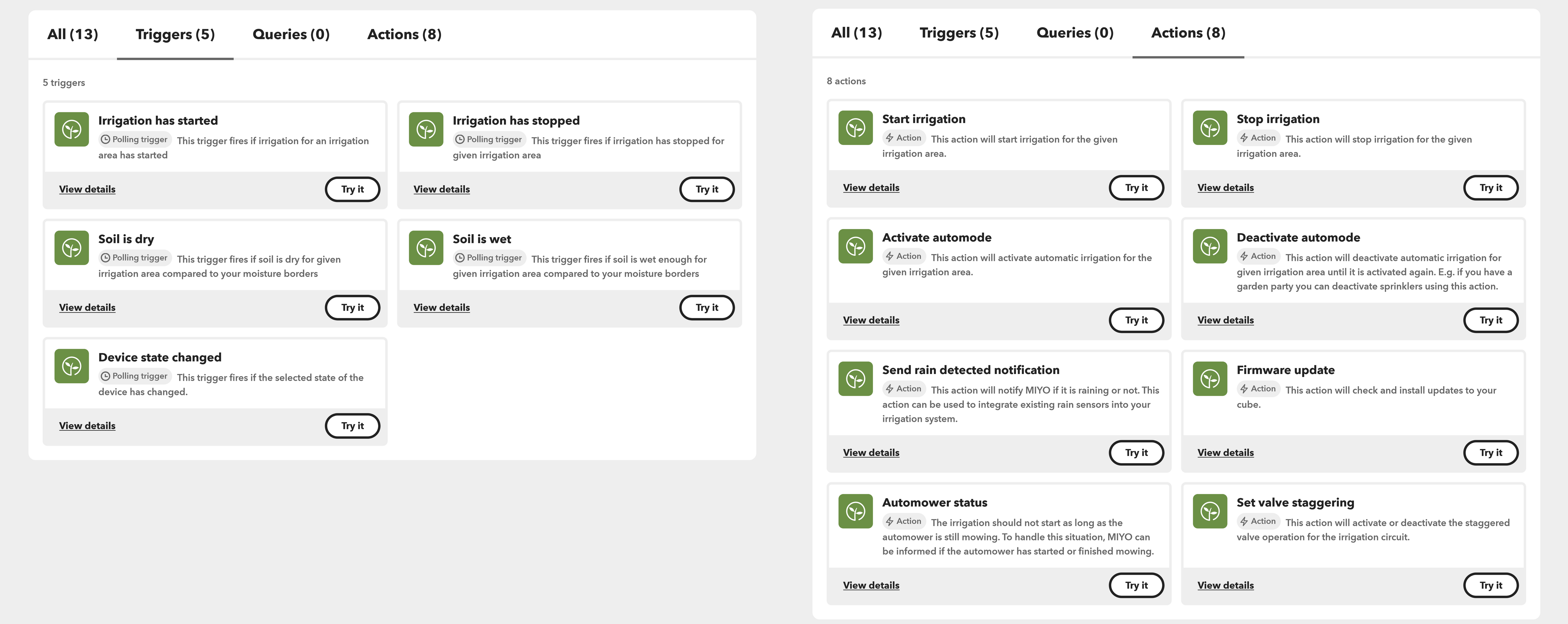
MIYO with IFTTT: Your garden, boundlessly connected.
Discover the variety of triggers and actions for your smart home world.


