Home Assistant
What is Home Assistant?
Home Assistant is one of the most popular open-source platforms for home automation. It runs locally on your own hardware (e.g., Raspberry Pi, NAS, server) and allows central control of various smart home devices – privacy-friendly, flexible, and fully under your own control.
What can the MIYO Cube Home Assistant Integration do?
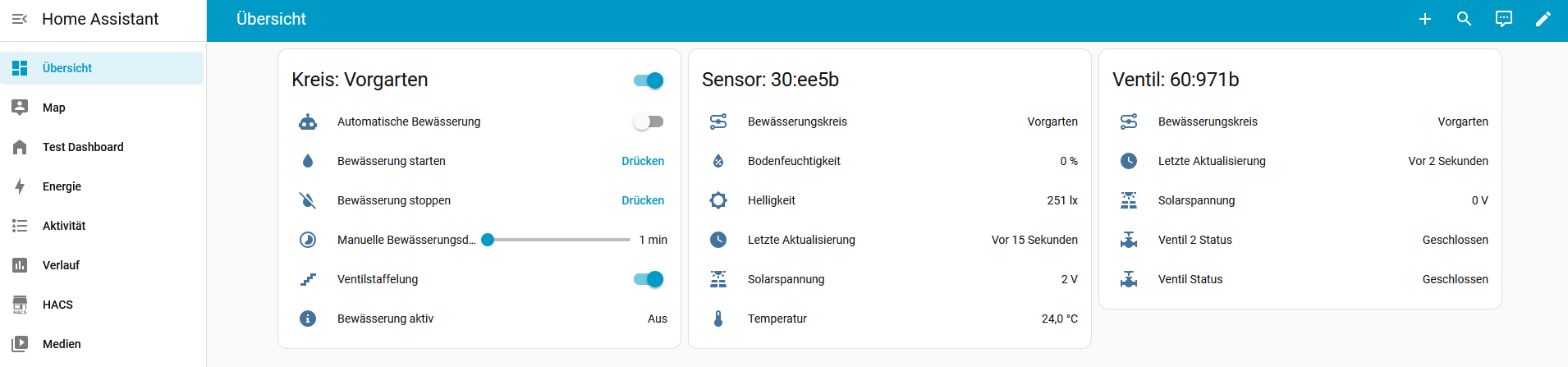
With our MIYO Cube integration for Home Assistant, you can use the most important information and functions of your irrigation system directly in Home Assistant. These include:
- Display of the status of all sensors (e.g., soil moisture)
- Display of the status of your valves
- Starting manual irrigations directly from Home Assistant
This way, you can seamlessly integrate your garden into your existing smart home automation.
Installation via HACS
The easiest way to install the integration is via HACS (Home Assistant Community Store).
HACS is an optional extension for Home Assistant that allows you to conveniently manage custom integrations, themes, and automations.
➡️ HACS Installation Guide:
https://hacs.xyz/docs/use/download/download/
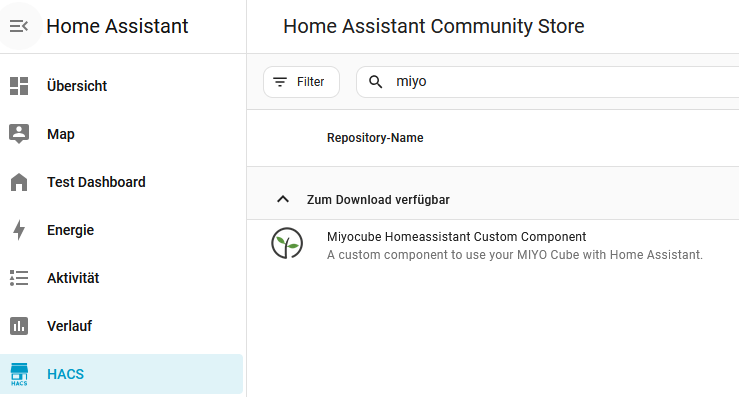
Once HACS is installed, you can easily find us through the search in HACS:
Manual Installation
Alternatively, the integration can also be installed manually. Simply download the GitHub repository and copy the folder
custom_components/miyocube
into your Home Assistant configuration directory.
After restarting Home Assistant, the integration will be ready for setup.


Open Source – Participation Welcome!
Our Home Assistant integration for the MIYO Cube is fully open source. We welcome feedback, ideas, bug reports, or pull requests.
GitHub Repository:
https://github.com/miyosmart/miyocube-homeassistant-custom-component